
SMART BRO plug it now 999 with 300 free load
Friday, September 25, 2009
SMART BRO announces per minute charging but still makes it difficult why????
Monday, September 14, 2009
The sign up procedure is here. http://smart.com.ph/bro/Features.htm
But again they make it difficult to keep track of your time on this one minute charging, if not impossible and so you have to keep checking back to your regular load balance to see if it has started to go down. Again its so easy to give the customer the tools right on the screen of the plug it rather than making you go online to find this limited information if you want to save money and not loose your 30 minute load you paid for.
One feature they have added like SUN already has is the ability to also text while online from your plug it sim but again only until the promo is over!!
Some of the information below is in their FAQ after you sign into your account.
* P60 Smart Bro Per Minute Package – 3 hours (equivalent to 180 minutes) valid for 2 days.
* P100 Smart Bro Per Minute Package – 5 hours (equivalent to 300 minutes) valid for 4 days.
Terms and Conditions for the SMART BRO PER-MINUTE PACKAGES
The SMART Bro Per Minute Package, a Service currently offered by Smart Broadband, Inc. (SBI) shall be governed by the following terms and conditions.
1. SMART Bro Per Minute Package is available to all new and existing Smart Bro Prepaid Plug-it subscribers.
2. Registration to Smart Bro Per Minute Package requires the following minimum load balance:
* To register to P100 Per Minute Package, minimum load required is P110.
* To register to P60 Per Minute Package, minimum load required is P70.
3. The validity period of a SMART Bro Per Minute Package starts immediately upon successful registration.
4. To maximize the validity period of a SMART Bro Per Minute Package, subscribers are encouraged to register to one (1) Per Minute Package at a time.
5. Regular charging of P10 per 30 minutes shall apply after the SMART Bro Per Minute Package validity period ends.
6. Should a subscriber choose to register to more than one (1) Per Minute Package with overlapping validity periods, any request for extension of the validity period shall not be considered or entertained.
7. In case of conflict in relation to this offer between these Terms and Conditions and that of the Terms and Conditions of the Smart Bro Prepaid subscription, these Terms and Conditions shall prevail.
By selecting “I Accept”, you agree to the Terms and Conditions stated above.
Note: Validity period starts once “I accept” button is selected. You will receive a confirmation message if registration is successful.
Terms and Conditions for the SMART BRO PER-MINUTE PACKAGES
The SMART Bro Per Minute Package, a Service currently offered by Smart Broadband, Inc. (SBI) shall be governed by the following terms and conditions.
SMART Bro Per Minute Package is available to all new and existing Smart Bro Prepaid Plug-it subscribers.
Registration to Smart Bro Per Minute Package requires the following minimum load balance:
To register to P100 Per Minute Package, minimum load required is P110.
To register to P60 Per Minute Package, minimum load required is P70.
The validity period of a SMART Bro Per Minute Package starts immediately upon successful registration.
To maximize the validity period of a SMART Bro Per Minute Package, subscribers are encouraged to register to one (1) Per Minute Package at a time.
Regular charging of P10 per 30 minutes shall apply after the SMART Bro Per Minute Package validity period ends.
Should a subscriber choose to register to more than one (1) Per Minute Package with overlapping validity periods, any request for extension of the validity period shall not be considered or entertained.
In case of conflict in relation to this offer between these Terms and Conditions and that of the Terms and Conditions of the Smart Bro Prepaid subscription, these Terms and Conditions shall prevail.
By selecting “I Accept”, you agree to the Terms and Conditions stated above.
Note: Validity period starts once “I accept” button is selected. You will receive a confirmation message if registration is successful.
SMART BRO plug-it internet annouces per minute rate promo
July 5, 2009 by philippinetech
I wrote last week in my Telecommunications blog that why does SMART use a complicated formula to charge you in 30 minute blocks rather than charging you actual per minutes used. If you sign in at 8:15 for example, you only really get 15 minutes before the 8:30 blocks comes up. They should just charge by the minute and be finished with it, why do they treat customers this way?
I am happy to say in full page ads this week, SMART Bro has annouced that per minute charging is now being offered. But its only for those that register at
News Flash Plug it Now 995
Friday, September 4, 2009

The Smart BRO USB modem is a small, palm-sized device that you can carry with you wherever you go. And anytime you need to surf, just plug it into the USB port of your PC, and you'll get connected in a flash. Total initial payment is P995 with FREE 5 Hours of internet surfing. Broadband Internet use is P10 for every 30 minutes.
Smart Bro Prepaid kit NOW costs P995 which already includes a USB modem and a SIM card. It already has a P100 preloaded broadband load which can be used up to 5 hours of high-speed broadband internet use.
http://smart.com.ph/bro/products/BroPrepaid.htm

Globe has lowered their price on their plug it called Globe Tattoo now to 895 read more about it here at this link but its only until October 31, 2009
http://globetattoo.wordpress.com/
MY REVIEW OF SMART BRO PLUG IT
Monday, August 31, 2009

Smart BRO PREPAID PLUG IT, the Smart Bro broadband internet service that allows you to surf the net anywhere there’s a PC! Absolutely no Monthly Service Fee since it’s prepaid on pre paid or 1500 unlimited or 799 for 80 hours!
Also read my review here of the SMART BRO SHARE IT Router for 5 persons unlimited internet SMART Bro Share It Internet now Unlimited
The Smart BRO USB modem is a small, palm-sized device that you can carry with you wherever you go. And anytime you need to surf, just plug it into the USB port of your PC, and you’ll get connected in a flash. Broadband Internet use is P10 for every 30 minutes.
SmartBro Share It was first introduced last March 2009. It used to be available for Php999 a month with a 90-hour free allocation. Smart has now moved this offer to “unlimited”.
Speed : Up to 2 Mbps
No. of Hours use : *UNLIMITED good for up to 5 PCs
Connection : Wireless Connection (Via Wifi Router)
Requirements : Subscriber [...]
A review can be found here and it includes some speed tests results at his location http://racoma.com.ph/archives/smart-bro-plugit-prepaid-kit-review
One commentor said: I honestly think it is a waste of money. Since you already have a 3G-enabled phone, you could have just bought a USB cord that will connect your phone to your PC, then browse the Internet using your phone as modem. That way, your phone’s battery won’t be drained while you’re surfing the net. And by the way, the speed of this method as compared to your use of the USB kit from Smart is the same.
The default SIM for the prepaid kit blocks VPN ports and other non-standard ports for that matter. my workaround is this, i purchase a new prepaid smart sim (standard type, 40php ea.) and reconfigure the software of the dongle to use the APN “internet” instead of the APN “SMARTBRO” so far, using this setup lets me connect to our office VPN (PPTP and L2LP/IPSEC)
you could also check if your area is 3G ready. You can call and ask Smart’s customer service. you can check this vid for ref.
Another reviewer said: So far, so good. It’s been a reliable mobile connection for me, for those times I need to connect while out of the office, or when my home-office connection is simply too slow.
I do get slow speeds when the cell site I’m connected to has non-existent or weak HSDPA signals. With this, it tops at 300+ Kbps. Where there are no 3G signals, it tops at 200+ Kbps (EDGE) or 56 Kbps (GPRS). It sucks, but when it’s your only option you will take it. So far I’m able to access most services and ports I need, including instant messengers, FTP, cPanel and the like, where previously these wireless networks imposed some prohibitions with non-HTTP ports.
The provided software was a breeze to install. The USB modem itself has read-only storage, so the drivers for Windows and OS X (Tiger and Leopard) are included. You may have to download drivers and do some tweaks for Linux, though.
You can always just dialup using your OS’s dialer, but the bundled software gives you more options, like the ability to detect what kind of signal you are currently getting, and the ability to lock connection to certain types only (the connection moves across HSDPA, 3G, GPRS, and EDGE depending on signal strength and availability)
And finally this reviewer said
But now that I have the SMART BRO USB, I am thinking and most likely will have my other connection cancelled. Why? For one thing, this new SMART BRO Plan 1500 is also unlimited. In addition, it is much faster than my regular SMART BRO fixed line and goes as fast as 2Mbps [ usually during the wee hours of the morning which happens to be my usual work schedule]. And best of all, it is NATIONWIDE! In fact, I have already seen and tested it work in far flung islands of the Philippines like Palawan and Mindanao and it works! Now imagine that — it actually works much better than PLDT’s wireless WeRoam. Makes me wonder what’s the difference considering that they are sister companies and both use both networks in a similar fashion? Perhaps they have certain bandwith allocation setup in place? I don’t know for sure. All I know is that I can bring this anywhere that has a mobile phone signal of SMART and I can easily access my email. The full comments from this reviewer is here http://midnightpencil.wordpress.com/2009/08/12/smart-bro-unplugged/#comment-13
-------------------------------
LongCheer WM66 is the modem sold with the SMART Bro pre-paid kit. It is locked to SMART. You can get the SUN or Globe modem which is and get it unlocked on SULIT and then use it with SMART as well as it has a plug in for an antenna which would definitely increase your signal if placed near a window or buy the antenna panel from the link below which will plug into the plug it from SUN.
SUN uses the HUAWEI E160 and it has a connection on side for an external antenna which is nice. You can get unlocked at http://www.sulit.com.ph/ just type SUN unlock and you will get the instructions how to load the sign it details for SUN, SMART or Globe after it is unlocked. I have tested the service and it works.
Learn more about unlocking here
http://www.philmug.ph/forum/showpost.php?s=7195cc97e2ec44e1b947dc14c568bcfb&p=646344&postcount=1
You can get an external antenna plug and antenna panel here
RCA-RFC001-01 (Top)
RCA-PDA002-08
USB extension and booster needed to extend the connection out the window
| USB 2.0 Extension Cable with Signal/Data Booster (EF-0005F) |
| Php 250.00 |
USB extension cables at CDRKing under cable accessories usb http://www.cdrking.com/
You can use this router below for the USB plug it to use it as a router too
Aztech HW550-3G http://www.aztech.com/prod_3g_hw550.html
http://www.onecommerce.com.ph/home-red.html is the seller in the Philippines about 3,800 pesos N router with speeds up to 300 kbps wireless in contrast to 52 kbps on G. Full speed in the router LAN connections in the back 4 port
Another 3G router 3G Mobile WiFi Router: D-Link DIR-451
There is some note online that the Modem for some users is now white Smart bro prepaid kit has now improved. It also has the same design(hardware) – white with smartbro logo – and it also has a space for micro-sd. What I’m checking now is what’s cheaper in connectio
Disadvantages of the SMART BRO plug it
1. It has no external plug for antenna
2. It charges by 30 minute blocks for 10 pesos but if you use only 10 minutes you sill pay 30 minutes and it does not carry over to next session except in rare cases of time based complicated formula. So if you sign in again after the formula passes (not 30 minute window) you have to pay again for another 30 minutes.
3. Billing sign up for the unlimited 1500 plug it post paid is way to complicated and I continue to insist that SMART could save staff time and stop wasting customer time by issuing the plug it immediately like they do on the pre paid/ They can easily cut anyone off that doesn't pay in fact the computer could even do it automatically.
4. 2 year lock in contracts are way too long for such a service! And why don't they allow customers a trial period before lockin so customers can test the speed and satisfaction with the service rather than causing later customer dissatisfaction everywhere and clogging customer service centers with concerns, wasting staff resources and erroding stock profits as a result.
5. If you use the per minute charges you load expires in a few days while if you use the 30 minute charges (and loose a lot) you get two months. You should get 2 months regardless! They cheat you by reducing the period when you use per minute charges.
What I like about it
1. Nationwide rather than province wide like the crippled share it product.
2. Per minute charging but much to complicated to avail and keep track of balance in per minute use.
Read the Digital Robbery blog here about disappearing minutes on SMART BRO plug it or my review of disappearing minutes in one of the sections of this blog
Manual for SUN plug it for internet access modem
Just click this link to see the manual posted online and then click each page to enlarge to read
Manual for SMART Bro Plug it
Just click this link to see the manual posted online and then click each page to enlarge to read
SMART 1500 unlimited, Sun 799 unlimited

Comparison to SUN and Globe
Globe 230 hours a month is 1,499 and up to 2 mbps
http://tattoo.globe.com.ph/tattooProducts.php
SUN 799 month USB 2 mbps unlimited
http://www.suncellular.com.ph/broadband.php
Note the simple Application Requirements for Sun, compared to SMART many steps

Completely filled-out Service Application Form, Valid ID, A Competitor Bill or Proof of Billing/Proof of Income And no contract under their easy broadband plan 799 pesos a month. Such a joy to have a company that cuts the paperwork, my comment!
www.leheart.110mb.com
http://www.leheart.110mb.com/sunbroadband.html
Best Deals Rate Chart of Mobile 3G Internet Providers Plug it
The chart is short and simple — compare rates for prepaid mobile 3g surfing, postpaid plans as well as ongoing bundled promos.
Both Smart and Sun Cellular are running bucket offers — Smart has the Php50 per 5 hours and Php100 per 12 hours promo, while Sun Cellular is offering their SWB at Php100 per 6 hours and Php300 per 24 hours. Globe doesn’t have this kind of bucket plans.
For postpaid, both Globe and Smart offer 60 hours free internet for Php799 a month. However, Sun Cellular is offering unlimited internet for the same monthly rate.
That gives Sun Cellular the cheapest offering at Php1.1 per hour, followed by Smart at Php12.50 then Globe at Php13.30/hour.
Globe Tattoo vs Smart Bro vs Sun Broadband?
Is cost a good measure? Not really. The cost of connection is not a factor since all the 3 networks are offering very comparable rates.
How about speed? All 3 providers are also offering HSDPA, 3G, EDGE, & GPRS connectivity.
So what's the verdict?
- Use Smart Bro when surfing on remote places in the Philippine
- Globe Tattoo is the neutral choice but definitely not the fastest. (Personally, I use Globe tatoo since I can easily use my Globe Post Paid line to add some load to it):)
- It's advisable to use Sun Broadband when you're not too mobile and just surf on coffee shops on key cities in Metro Manila and in the Philippines. If I don't have the convenience of having a Globe Post paid line to reload my Tattoo,I'll definitely go for Sun Broadband. :)
To read complete article click here 6/25/09 blog funwithmymini
Smart BRo speed 41-45KB/s (320-388Kbp/s)
Smart Wireless speed 23-30KB/s (180-240 kbp/s)
Globe Tattoo speed 12-26 KB/s
Globe wireless speed 29-35 KB/s
Sun depends on Area..
PLDT is wired connection...
Bayantell is wired connection..
=if you are an urban guy and wants good quality - go globe. globe has the best investment in 3g and 3.5g technology and has excellent signal quality in urban areas
if you are a traveller and relies on good coverage - go smart. smart has signal where globe and sun does not have one.
if you living in manila and wants value for money - go sun. unlimited is the way to go!
=Well said, exactly what I'm thinking as well, not to mention personal experience about the three providers. To add to that, Sun has been rolling out the newest technology among the three and it's just a matter of time before it overtakes the other two providers in terms of wireless broadband products.
To read complete article click here PhilMug blog replies
Read a review of the Globe Plug it
Globe Visibility Prepaid Kit Review
http://racoma.com.ph/archives/globe-visibility-prepaid-kit-reviewRead another review here
SUN INTERNET USB PLUG IT NOW GIVES 180 HOURS FREE SURFING READ REVIEWS
Sun just finally met the competition a little by now offering 180 free for 30 days when you buy their 1895 usb plug it modem. Smart now offers modem for 999 and Globe for 895
http://suninternet.wordpress.com/
Smart has eliminated their 50 peso one day load it seems. So you muay want to switch to SUN or Globe which still offers the one day for 50 pesos and in fact Sun offers 3 hours for 25 pesos and 3 eays for 100 pesos or 7 days for 250 pesos.
10 pesos per 30 mins surfing still is available
1 SMART Bro UnliSURF is designed for heavy internet users so plug-in your stick right about now. For an affordable price of P200, you'll get 5 days of unlimited surfing (P40 per day). Here's how to use SMART Bro UnliSURF thru Webconnect or SMS text.
There is also a 100 peso package (you can send a text to unlisurf from your smart usb and but you must have 2 extra pesos load, as the message costs 1 peso and you must maintain 1 peso load.
To enjoy SMART Bro UnliSURF via Webconnect:
Log on to www.smart.com.ph/connect.
Select UnliSURF Packages then click Submit.
Via SMS:
Text UNLISURF 200 send to 2200 (subscriber must have initial load balance of P210).
Text UNLISURF 100 send to 2200 (subscriber must have initial load balance of P110).
New Smart BRO Features! Plug It August 2009 Pre paid or post paid
New Smart BRO Features!
Great things about the prepaid kit are:
- It came with the newer, black USB modem that looks just like a pen drive. This means no dongles to mess up your otherwise wireless set-up.
- It’s cheap at PhP 1,999 net (you have to pay PhP 1,999 for the modem, which includes the SIM card and PhP 100 prepaid load).
- It’s prepaid, so there is no need for contracts, lock-ins, or proof of identity/income, as is usual with postpaid plans.
- If you have an existing Smart prepaid or postpaid SIM, you can also use these to connect. Standard rates apply.
Ang SmartBro Prepaid Plug-it ay mas pinagaling pa with these new features:
Video on Plug it use
http://video.yahoo.com/watch/1512441/5154478
Iloilo review of speeds Smart Bro Plug-it Iloilo
http://pinayseo.com/smart-bro-plug-it-iloilo/
SMART BRO CONSUMABLE LOAD
Minute by minute charging that comes in 2 packages:
| Package | Price | No. of Hrs | Rate/Min | Validity | |
| Surflexible Load 60 | 60 | 3 hours | P0.33/min | 2 days | |
| Surflexible Load 100 | 100 | 5 hours | P0.33/min | 4 days |
How to Avail:
1. Register and Log on to Web Connect www.mysandbox.com.
2. Select Surflexible Load
3. Select Surflexible Load 60 or Suflexible Load 100 from list of services
4. Click Submit button
SMART BRO SMS
Now, you may send text messages using Smart Bro Plug-It!
| Smart Bro to Smart Bro / Buddy / Gold / Talk N' Text | P1 / text | |
| Smart Bro to Other Networks | P1 / text | |
| International Text | P15 / text |
How to Use:
| 1. On your Smart Bro Client Interface, click on SMS icon |
| |
| 2. Select NEW from Smart Bro Explorer Window |
| |
| 3. Type the message and target Smart Bro / Cellphone no. and click SEND. |
| |
*160 characters per SMS
You can now download music from Sandbox using your Smart Bro Prepaid Plug it Load!
How to Avail of PC Downloads:
| 1. Go to www.mysandbox.com. |
| 2. If you are an existing member, fill in Log in fields. For new members, click on the "Register Here" link. |
| 3. Fill up all necessary details. |
| 4. Enter activation code that is sent to your registered Email address or Smart Mobile Number. |
| 5. Fill in Registration Page for Fund Source. |
| 6. Enroll your Smart Bro Account. |
| 7. Click on the PC downloads Link. Choose your desired content, fill in necessary billing details and download. |
Frequently asked questions Plug it
1. How much will the Smart Bro Prepaid kit cost?
Smart Bro Prepaid kit costs P1995 which already includes a USB modem and a SIM card. It already has a P100 preloaded broadband load which can be used up to 5 hours of high-speed broadband internet use.
2. What are the necessary documents needed to apply for a Smart Bro Prepaid?
None as this is a prepaid offer.
3. How much will be the rate per use?
You will be charged P10 for every 30 minutes. To illustrate the 30-minute block metering, example:
Scenario 1:
Anna connects to the internet at 8:30, then disconnects at 8:50 (total of 20 minutes) -> consumption is already rounded off to 30 minutes (note: this is the first 30-minute block)
Scenario 2:
Anna connects to the internet at 8:30, then disconnects at 8:50 (total of 20 minutes), then reconnects again at 8:55 up to 9:00. (total of 5 minutes). Consumption is only counted as one block of 30-minute since this is within the first 30-minute block.
Scenario 3:
Anna connects to the internet at 8:30, then disconnects at 8:50 (total of 20 minutes), then reconnects again at 8:55 up to 9:05 (total of 10 minutes) -> consumption is already counted as two (2) blocks of 30-minutes, wherein:
usage from 8:30 to 8:50, then 8:55 to 9:00 is for the first 30-minute block (note: that this is the first 30-minute block)
usage from 9:01 to 9:05 is for the second 30-minute block
4. What are my reloading options once I already consumed the preloaded broadband load?
There are two ways of reloading your Smart Bro Prepaid account:
a. Smart Bro Load Card
| | |
5. What will be the reloading procedure if I use a Smart Bro Load Card?
a. Lightly scratch off the ink on the card to see the 14-digit PIN.
b. On any Smart GSM cell phone, text
Reload
c. You will receive an SMS from 1510 on the Smart GSM cell phone showing the updated Prepaid balance
and another SMS on your Smart Bro modem message inbox confirming load receipt.
6. What will be the reloading procedure if via Smart Load retailer?
a. Retailer goes to his retailer menu on his Smart GSM cell phone and selects Smart Load, then the Load function
| |
b. Retailer then enters your Smart Bro Prepaid number.
c. Retailer highlights from the list the denomination that you want to purchase.
Please refer to below list of available Smart Bro Prepaid Load Packages.
\
d. Retailer will be prompted to confirm loading details
e. After confirmation, retailer will receive an SMS from SMART Load on his Smart GSM cell phone detailing the successful loading, while you will receive a different SMS on your Smart Bro modem message inbox confirming load receipt.
7. How will I inquire for the reload balance?
You may check the remaining balance of your Smart Bro prepaid using our Webconnect facility. Just log-on to http://smart.com.ph/smartbro and register your SMART Bro prepaid account.
Note: Registration only needs to be done once.
8. How does Smart Bro prepaid compare to other mode of internet access?
|
| Smart BRO Pre-paid | Dial-up | Internet Shop |
| Speed | Up to 2 Mbps where HSDPA coverage is available | Up to 56 kbps | shared |
| Mobility | Anywhere | Fixed | Fixed |
| Price | P 10 for every 30 minutes | P 90 for 16 hours | P 20 to P 30 per hour |
| Availability | Nationwide | Nationwide | Limited to selected areas |
9. What are Smart Bro’s advantages over the other internet services?
Mas abot kaya – P10 lang kada P30 minutes
Mabilis – Up to 2 MBPS where HSDPA coverage is available.
Surf kahit saan – Nationwidest coverage! Just plug it kahit saan may PC
Off the shelf and readily available. No need to sign a contract! Loading can be done via Smart Bro Load Card or via any Smart Load Outlets nationwide.
10. What are the requirements to get connected?
The subscriber’s system requirements are:
CPU: 500 MHz or higher
RAM: 128MB or higher
Hard Disk: 20 MB or higher
USB 2.0 port*
Operating systems: Windows 2000, XP, Vista MAC OS X
*Note: If the configuration is below the recommended requirements, the performance of the modem may be affected.
11. Where can interested customers purchase the Smart Bro Prepaid Kit?
You can buy the Smart Bro Prepaid Kit through any of the following channels:
A) Any Smart Wireless center nationwide
B) Through an accredited Smart Bro Agent
C) Through any of the accredited Smart Bro Dealers
click here to see list → AccreditedSmartBroDealers.doc
12. How can I load my Smart Bro Prepaid if I am not a Smart GSM user?
It is encouraged that you use a Smart GSM SIM. However, your other options are:
A) Via Smart Load
B) Smart Bro Load Card by using another Smart GSM cell phone
13. Where can I call for questions or other concerns?
You can call our friendly Customer Care at *1888 from your Smart Cellphone or dial 02-6727277 using a landline. You can also visit any Smart Wireless Center.
14. Can I reload my account with text load denominations such as All-text, Gaan-text?
No. Text load denominations (such as All-text, Gaan-text and the like) are not applicable.
15. What will happen to the free text credits?
Free text credit is not applicable. When you reload your Smart Bro Prepaid account via Smart Load, you actually get broadband load. This means the entire load amount is good for data only and cannot be used for voice and text.
16. Can I use my Smart Bro Prepaid for international roaming?
No. Currently, international roaming feature for Smart Bro Prepaid is not yet available.
17. Are subscribers guaranteed the published speeds?
Smart Bro’s published speeds are the maximum possible speeds given in the broadband connection. While the speed can often burst to such levels, there are times when forms of technical interference such as noise, electrical shorts or software problems can interfere with the speed, which are beyond Smart’s control.
Also, very busy websites like Yahoo and MSN occasionally suffer from slowdowns, as well as graphic-heavy sites such as mySpace, Multiply or Friendster. The servers of most of these major sites are often located in other countries, such as the United States, which can further degrade performance due to the distance the signal must travel.
It is also highly recommended that you are situated in a 3G/HSDPA covered location to enjoy the maximum speed the service can deliver. (Link on the coverage)
18. Can the modem be infected or be a carrier of a virus being a USB device?
The USB modem cannot be infected or be a carrier of a virus since it has no storage capacity.
19. Where can I get a replacement battery for the USB modem?
The USB modem does not require a battery. It shall automatically obtain power supply once plugged into your PC or laptop.
20. Can I use my Smart Bro Prepaid SIM card for voice calls and/or outgoing SMS, with my mobile phone?
The Smart Bro Prepaid SIM card is a customized SIM that can only be used for data. Voice and outgoing SMS have been disabled. Credits cannot be used for voice calls and/or SMS even if SIM card is transferred to a mobile phone.
21. I have an existing non-Smart SIM card (Globe, Touch Mobile or Sun). Can I possibly use my non-Smart SIM into the USB modem?
No. The Smart Bro USB modem is SIM-locked to Smart, thus, you will not be able to use your non-Smart GSM SIM into the device.
Pre-Paid Facts plug it
Pre paid Facts
http://smart.com.ph/bro/products/prepaidfaqs.htm
1. How much will the Smart Bro Prepaid kit cost?
Smart Bro Prepaid kit costs P995 which already includes a USB modem and a SIM card. It already has a P100 preloaded broadband load which can be used up to 5 hours of high-speed broadband internet use.
2. What are the necessary documents needed to apply for a Smart Bro Prepaid?
None as this is a prepaid offer.
3. How much will be the rate per use?
You will be charged P10 for every 30 minutes. To illustrate the 30-minute block metering, example:
Scenario 1:
Anna connects to the internet at 8:30, then disconnects at 8:50 (total of 20 minutes) -> consumption is already rounded off to 30 minutes (note: this is the first 30-minute block)
Scenario 2:
Anna connects to the internet at 8:30, then disconnects at 8:50 (total of 20 minutes), then reconnects again at 8:55 up to 9:00. (total of 5 minutes). Consumption is only counted as one block of 30-minute since this is within the first 30-minute block.
Scenario 3:
Anna connects to the internet at 8:30, then disconnects at 8:50 (total of 20 minutes), then reconnects again at 8:55 up to 9:05 (total of 10 minutes) -> consumption is already counted as two (2) blocks of 30-minutes, wherein:
usage from 8:30 to 8:50, then 8:55 to 9:00 is for the first 30-minute block (note: that this is the first 30-minute block)
usage from 9:01 to 9:05 is for the second 30-minute block
4. What are my reloading options once I already consumed the preloaded broadband load?
There are two ways of reloading your Smart Bro Prepaid account:
a. Smart Bro Load Card
b. Smart Load via retailer
5. What will be the reloading procedure if I use a Smart Bro Load Card?
a. Lightly scratch off the ink on the card to see the 14-digit PIN.
b. On any Smart GSM cell phone, text
Reload
c. You will receive an SMS from 1510 on the Smart GSM cell phone showing the updated Prepaid balance
and another SMS on your Smart Bro modem message inbox confirming load receipt.
6. What will be the reloading procedure if via Smart Load retailer?
a. Retailer goes to his retailer menu on his Smart GSM cell phone and selects Smart Load, then the Load function
b. Retailer then enters your Smart Bro Prepaid number.
c. Retailer highlights from the list the denomination that you want to purchase.
* Please refer to below list of available Smart Bro Prepaid Load Packages.
d. Retailer will be prompted to confirm loading details
e. After confirmation, retailer will receive an SMS from SMART Load on his Smart GSM cell phone detailing the successful loading, while you will receive a different SMS on your Smart Bro modem message inbox confirming load receipt.
7. How will I inquire for the reload balance?
You may check the remaining balance of your Smart Bro prepaid using our Webconnect facility. Just log-on to http://smart.com.ph/smartbroand register your SMART Bro prepaid account. Note: Registration only needs to be done once.
8. How does Smart Bro prepaid compare to other mode of internet access?
| Smart BRO Pre-paid | Dial-up | Internet Shop | |
| Speed | Up to 384 kbps where 3G coverage is available | Up to 56 kbps | shared |
| Mobility | Anywhere | Fixed | Fixed |
| Price | P 10 for every 30 minutes | P 90 for 16 hours | P 20 to P 30 per hour |
| Availability | Nationwide | Nationwide | Limited to selected areas |
9. What are Smart Bro’s advantages over the other internet services?
Mas abot kaya – P10 lang kada P30 minutes Mabilis – Up to 7x faster than dial-up Surf kahit saan – Nationwidest coverage! Just plug it kahit saan may PC
Off the shelf and readily available. No need to sign a contract! Loading can be done via Smart Bro Load Card or via any Smart Load Outlets nationwide.
10. What are the requirements to get connected?
The subscriber’s system requirements are: CPU: 500 MHz or higher RAM: 128MB or higher Hard Disk: 20 MB or higher USB 2.0 port* Operating systems: Windows 2000, XP, Vista MAC OS X
*Note: If the configuration is below the recommended requirements, the performance of the modem may be affected.
11. Where can interested customers purchase the Smart Bro Prepaid Kit?
You can buy the Smart Bro Prepaid Kit through any of the following channels:
A) Any Smart Wireless center nationwide
B) Through an accredited Smart Bro Agent
C) Through any of the accredited Smart Bro Dealers
click here to see list → AccreditedSmartBroDealers.doc
12. How can I load my Smart Bro Prepaid if I am not a Smart GSM user?
It is encouraged that you use a Smart GSM SIM. However, your other options are:
A) Via Smart Load
B) Smart Bro Load Card by using another Smart GSM cell phone
13. Where can I call for questions or other concerns?
You can call our friendly Customer Care at *1888 from your Smart Cellphone or dial 02-6727277 using a landline. You can also visit any Smart Wireless Center.
14. Can I reload my account with text load denominations such as All-text, Gaan-text?
No. Text load denominations (such as All-text, Gaan-text and the like) are not applicable.
15. What will happen to the free text credits?
Free text credit is not applicable. When you reload your Smart Bro Prepaid account via Smart Load, you actually get broadband load. This means the entire load amount is good for data only and cannot be used for voice and text.
16. Can I use my Smart Bro Prepaid for international roaming?
No. Currently, international roaming feature for Smart Bro Prepaid is not yet available.
17. Are subscribers guaranteed the published speeds?
Smart Bro’s published speeds are the maximum possible speeds given in the broadband connection. While the speed can often burst to such levels, there are times when forms of technical interference such as noise, electrical shorts or software problems can interfere with the speed, which are beyond Smart’s control.
Also, very busy websites like Yahoo and MSN occasionally suffer from slowdowns, as well as graphic-heavy sites such as mySpace, Multiply or Friendster. The servers of most of these major sites are often located in other countries, such as the United States, which can further degrade performance due to the distance the signal must travel.
It is also highly recommended that you are situated in a 3G/HSDPA covered location to enjoy the maximum speed the service can deliver. (Link on the coverage)
18. Can the modem be infected or be a carrier of a virus being a USB device?
The USB modem cannot be infected or be a carrier of a virus since it has no storage capacity.
19. Where can I get a replacement battery for the USB modem?
The USB modem does not require a battery. It shall automatically obtain power supply once plugged into your PC or laptop.
20. Can I use my Smart Bro Prepaid SIM card for voice calls and/or outgoing SMS, with my mobile phone?
The Smart Bro Prepaid SIM card is a customized SIM that can only be used for data. Voice and outgoing SMS have been disabled. Credits cannot be used for voice calls and/or SMS even if SIM card is transferred to a mobile phone.
21. I have an existing non-Smart SIM card (Globe, Touch Mobile or Sun). Can I possibly use my non-Smart SIM into the USB modem?
No. The Smart Bro USB modem is SIM-locked to Smart, thus, you will not be able to use your non-Smart GSM SIM into the device.
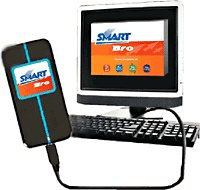
Plan 1500 unlimited and plan 799 80 hours
SmartBro Plan 1500 Unlimited
Smart is finally re-offering their unlimited 3G for a monthly subscription of Php1,500. This was introduced last year but was put on hold for unknown reasons.
PLAN 1,500 "Unlimited"
Surf All you want, Kahit saan may PC. Just Plug it.
Speed : Up to 2 Mbps
No. of Hours use : Unlimited Service
Connection : Wireless Connection (Via USB Modem)
Requirements : Subscriber Application Form, Proof of Address, Proof of Identification, Financial Documents (Any of the 3 documents : Latest Income Tax Return, Current Bank Statement or Bank Certification letter), Proof of Address.
Total Initial Payment : Php 1,500
Lock-in Period : 24 months
PLAN 799
Surf for 80 hours FREE, Kahit saan may PC. Just Plug it.
Speed : Up to 2 Mbps
No. of Hours use : Up to 80 hours free per month (P10 for every 30 minutes in excess of the free hours)
Connection : Wireless Connection (Via USB Modem)
Requirements : Subscriber Application Form, Proof of Address, Proof of Identification, Financial Documents (Any of the 3 documents : Latest Income Tax Return, Current Bank Statement or Bank Certification letter)
Total Initial Payment : Php 799
Lock-in Period : 24 months